Watch Video Tutorial
See how to install the extension and track your first email in Gmail: from setup to your first read notification.
How to Use Mail Tracker
Follow these 6 simple steps to install Mail Tracker and start tracking your emails
Download Mail Tracker
Install the Mail Tracker extension directly from the Chrome Web Store. The installation is quick, secure, and takes less than 2 minutes. The extension is compatible with all Chromium-based browsers (Chrome, Edge, Brave, etc.).
Download from Chrome Web Store
Gmail Extension
Quick and easy installation
Sign In & Choose Your Plan
Open Gmail and click the Mail Tracker icon in your sidebar. Sign in securely with your Google account using OAuth 2.0, then choose a monthly or yearly plan to unlock full premium access right away.
Open Gmail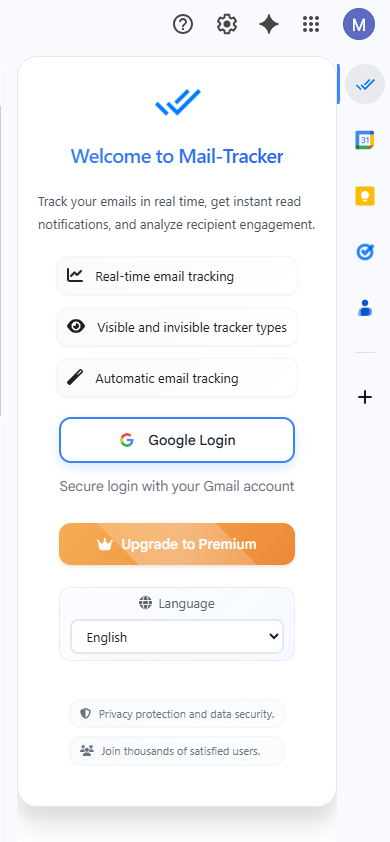
Compose an Email with Tracker
When composing an email in Gmail, click the Mail Tracker icon to add a tracker to your message. The tracker is automatically embedded when you send the email. You'll be notified as soon as your email is opened.
Premium members can enable automatic tracking mode in settings to track all emails without clicking each time!
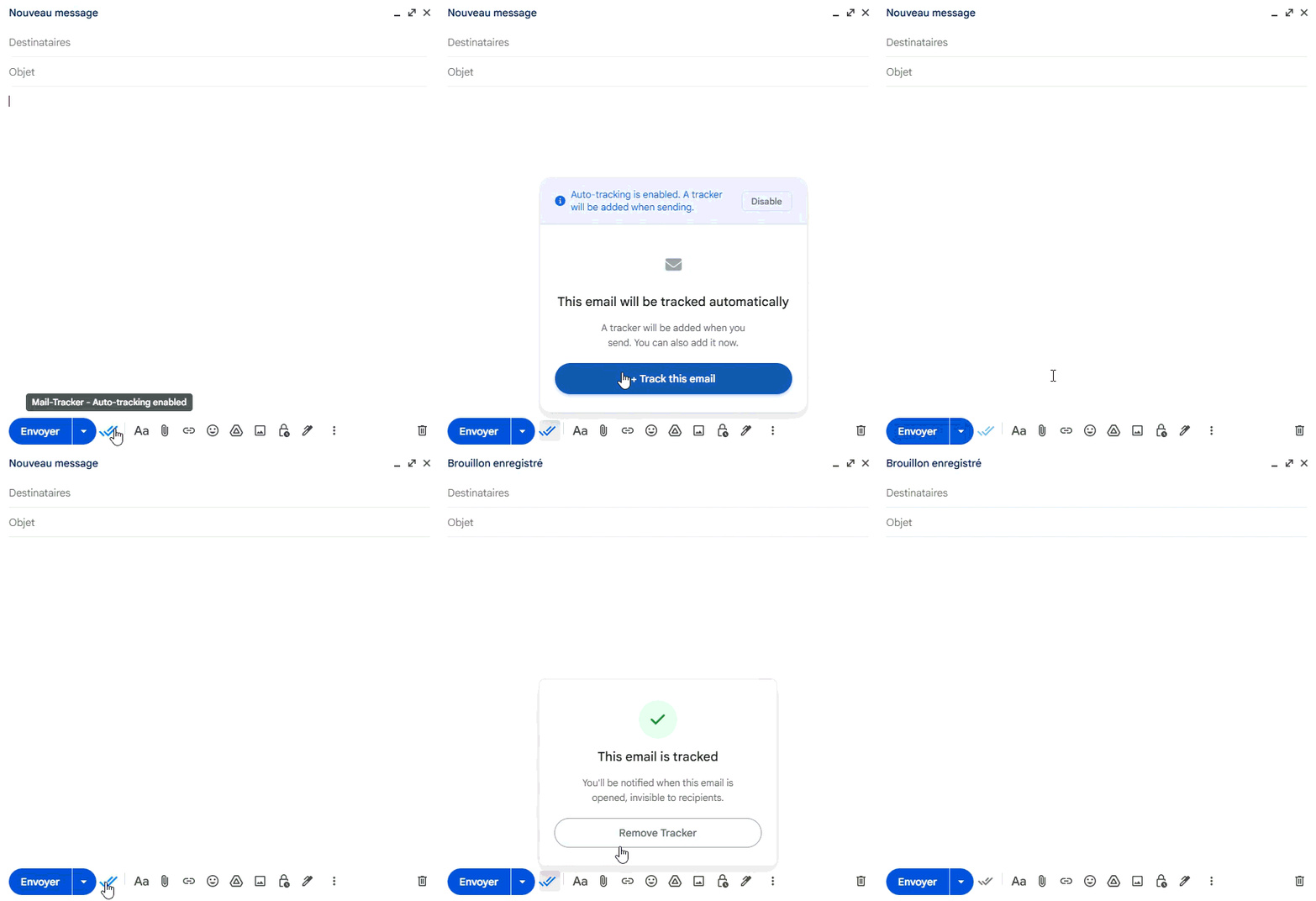
Enable Browser Notifications
To receive instant notifications when your emails are opened, go to https://mail-tracker.app/settings to grant browser permissions. Then, in the extension sidebar, you can enable notifications in the settings. You'll get real-time alerts on all your devices.
Go to Settings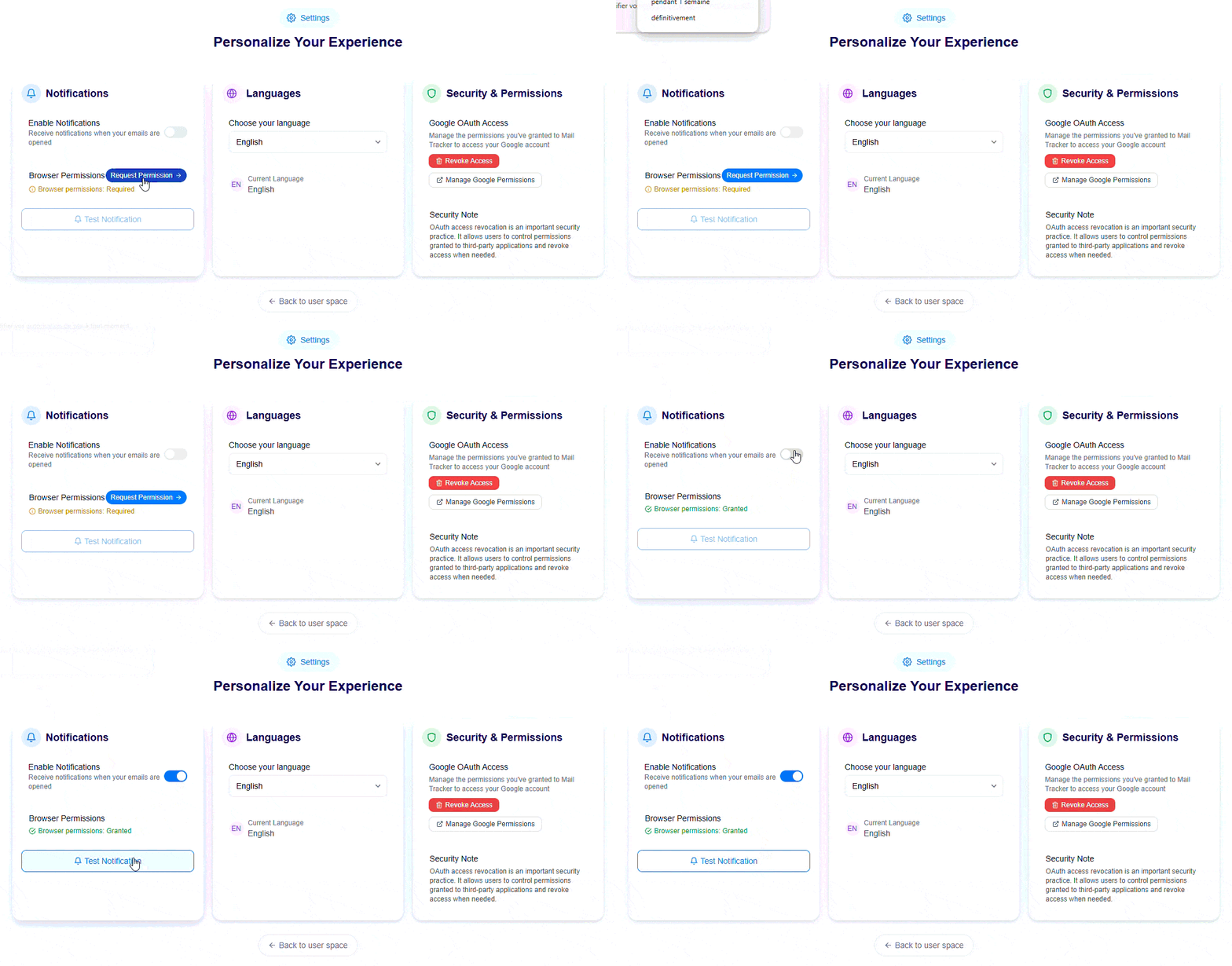
View Analytics Dashboard
Access your personalized dashboard to view detailed statistics about your tracked emails: open rates, reading time, number of opens, device types, and more. Analyze your performance and optimize your email strategy.
View DashboardPick the Billing That Suits You
Your subscription gives you full premium access: invisible tracking, real-time notifications, and detailed analytics. Pay monthly, or save 50% with yearly billing. Cancel or change at any time, no commitment.
You can switch between monthly and yearly billing at any time from your account.
Ready to Get Started?
Install Mail Tracker now and start tracking your emails in less than 5 minutes. No commitment, cancel anytime.